Gaming Gadgets for Enthusiasts
For many gamers, playing is more than simply turning on a console or launching a game. A good setup can make the experience more comfortable, immersive, and convenient.
Fortunately, gaming gadgets now cover almost every part of the experience. From responsive controllers and gaming headsets to ergonomic chairs and portable displays, enthusiasts have plenty of options to customize their setup.
The key is knowing which gadgets actually add value instead of filling your desk with technology you rarely use.
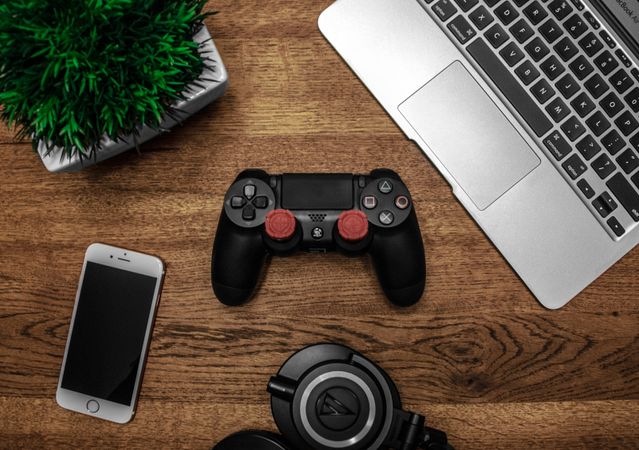
Gaming Headsets for Better Audio
Sound can have a major impact on gameplay.
A quality gaming headset can make dialogue easier to hear, help players identify directional sounds, and provide a more immersive experience. Many models also include microphones for multiplayer communication.
When choosing a headset, consider:
- Audio quality
- Microphone performance
- Comfort during long sessions
- Wired or wireless connectivity
- Battery life
- Compatibility with your devices
For competitive games, clear positional audio may be particularly useful. For story-driven games, comfort and sound quality might matter more.
Mechanical Gaming Keyboards
For PC gamers, the keyboard is one of the most frequently used pieces of equipment.
Mechanical keyboards use individual switches beneath their keys, providing different levels of tactile feedback and actuation depending on the switch type.
Some gamers prefer quieter switches for shared spaces, while others enjoy pronounced tactile or clicky feedback.
Features such as programmable keys, customizable lighting, detachable cables, and compact layouts can also help personalize a setup.
High-Precision Gaming Mice
A gaming mouse can provide more precise control than a basic office mouse.
Important specifications include sensor performance, weight, shape, button layout, and connection type.
Different players have different preferences. A lightweight mouse may appeal to someone who makes rapid movements, while additional programmable buttons can be useful for games with many commands.
|
Gaming Gadget |
Main Benefit |
What to Consider |
|
Gaming headset |
Immersive and directional audio |
Comfort, microphone, connectivity |
|
Mechanical keyboard |
Responsive controls |
Switch type, layout, features |
|
Gaming mouse |
Precise movement |
Sensor, weight, shape |
|
Controller |
Flexible game control |
Compatibility, ergonomics |
|
Gaming monitor |
Smooth and clear visuals |
Refresh rate, resolution, panel |
|
Gamepad or arcade controller |
Specialized controls |
Game compatibility, layout |
Gaming Monitors
A monitor can have a significant effect on the overall gaming experience.
Resolution determines image detail, while refresh rate affects how frequently the display can update the image. Response time can also matter, especially in fast-paced games.
Gamers should consider how their computer or console performs before choosing a high-end display. A powerful monitor cannot compensate for hardware that cannot consistently deliver the necessary performance.
Screen size and viewing distance are also worth considering.
Controllers for More Flexible Gameplay
Controllers remain essential for consoles and are also popular among PC gamers.
A good controller should feel comfortable and provide responsive buttons and analog sticks.
Some advanced models offer adjustable triggers, interchangeable components, programmable buttons, and customizable profiles.
For racing and fighting games, specialized controllers can provide an entirely different experience.
Racing Wheels and Flight Controls
Simulation enthusiasts often want more specialized hardware.
Racing wheels with pedals can provide more realistic steering and acceleration control. Flight sticks and throttle systems can add physical controls to flight simulators.
These gadgets are not necessary for casual players, but they can make simulation games considerably more interactive.
Gaming Chairs and Ergonomic Accessories
Not every useful gaming gadget is directly connected to the game.
A comfortable chair, monitor stand, wrist rest, or adjustable desk can make long sessions easier on the body.
Ergonomics should come before appearance. Adjustable height, appropriate back support, and a comfortable sitting position are generally more useful than decorative features.
Portable Gaming Gadgets
Gaming is no longer limited to a desk or living-room TV.
Portable consoles, handheld PCs, compact controllers, power banks, and travel cases allow gamers to take their libraries with them.
Portable gaming also introduces different priorities. Battery life, weight, screen quality, storage, and device durability can become more important than maximum performance.
Lighting and Streaming Accessories
Gamers who stream or record content may need additional equipment.
Webcams, microphones, capture cards, lighting, and adjustable mounts can improve production quality.
RGB lighting can also change the atmosphere of a gaming room, although it is primarily an aesthetic choice rather than a performance upgrade.
Choosing Gadgets That Fit Your Setup
It's easy to get distracted by impressive specifications and long feature lists.
Before buying a new gadget, ask a few practical questions:
- Will I use it regularly?
- Is it compatible with my current devices?
- Does it solve a specific problem?
- Will it improve comfort or performance?
- Does it fit my available space?
- Is the upgrade noticeable enough to justify the cost?
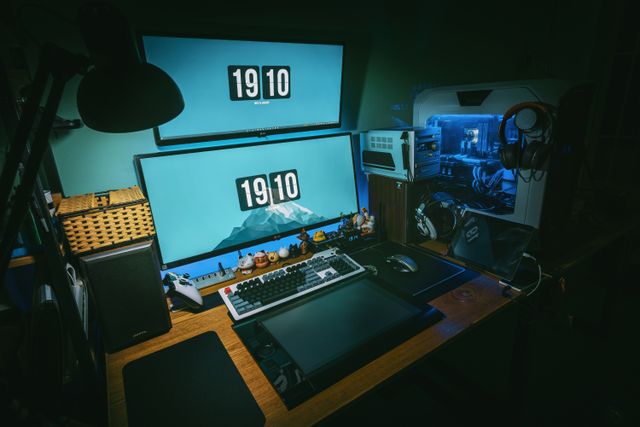
The best gaming setup isn't necessarily the one with the most equipment. It's the one built around how you actually play.
Conclusion
Gaming gadgets can make a setup more comfortable, responsive, immersive, and personalized. Headsets, keyboards, mice, monitors, controllers, simulation equipment, ergonomic accessories, and streaming tools all serve different purposes.
Instead of buying everything at once, enthusiasts can start with the equipment that addresses their biggest needs and gradually build a setup around their preferred games and playing style.
Frequently Asked Questions
An ergonomic chair or desk setup, appropriate monitor positioning, comfortable peripherals, and regular breaks can all contribute to a more comfortable gaming environment.


Was This Article Helpful?
Click on a star to rate it!
Thank you for your vote!

Average Rating: 0/5 Votes: 0
Be the first to rate this post!

Strong engineering background in mobile and backend development. Focusing on building scalable products, improving development processes — from architecture and APIs to UX redesigns, monetization, and analytics. Responsible for applications with 1M+ downloads and multi-project ecosystems.
View LinkedIn ProfileLatest Posts
Gaming Gadgets for Enthusiasts

Disruptive Technologies Reshaping Markets
The Rise of Software-Defined Cars