What Are Virtual Reality Games?
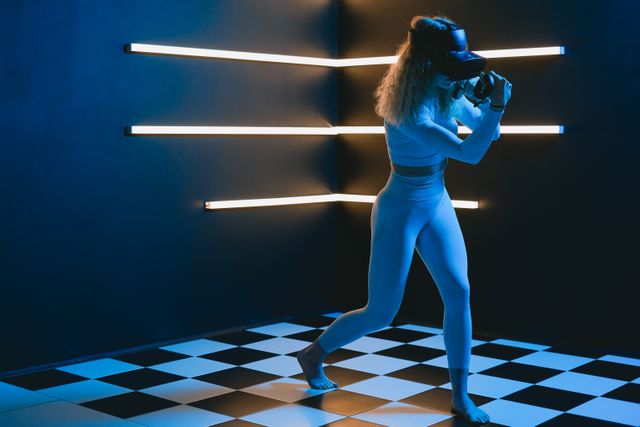
Virtual reality games are interactive digital experiences designed to make players feel as though they are inside a computer-generated environment. Players typically use a VR headset, controllers, and sometimes additional accessories to explore the virtual world and interact with objects.
Unlike traditional video games, which are usually played through a television or monitor, VR games respond to the player's movements. Turning your head can change the view, while reaching out with a controller can allow you to pick up an object, operate equipment, or perform an action.
Common types of VR games include:
- Action and adventure: Explore virtual worlds, complete missions, and interact with characters.
- Puzzle games: Solve challenges using spatial awareness and virtual objects.
- Rhythm games: Follow music and respond to visual cues with physical movements.
- Simulation games: Experience activities such as flying an aircraft, driving, or operating machinery.
- Horror games: Explore atmospheric environments designed to create suspense.
- Sports and fitness games: Practise movements, compete against opponents, or exercise through interactive gameplay.
Each genre uses immersion differently. A puzzle game may focus on manipulating objects in three-dimensional space, while a horror game may use sound, lighting, and limited visibility to create tension.
What Makes a VR Experience Immersive?
Immersion is the feeling of being involved in a digital environment rather than simply observing it. VR combines several technologies to create this effect.
3D Visuals and Head Tracking
A VR headset displays images that create a sense of depth. Sensors track the user's head movements and adjust the view accordingly, allowing the virtual environment to respond as the user looks around.
This makes it possible to examine objects from different angles and explore spaces in a way that feels more natural than moving a camera with a mouse or joystick.
Motion Controllers and Hand Tracking
Controllers allow players to grab, point at, throw, and manipulate virtual objects. Some systems also support hand tracking, which lets users interact through gestures without holding traditional controllers.
These interactions make activities such as drawing, building, and solving physical puzzles feel more direct.
Spatial Audio
Spatial audio helps users identify where sounds originate within a virtual environment. Footsteps may sound as though they are approaching from behind, while distant voices or environmental noises can make a digital world feel more realistic.
Haptic Feedback
Some controllers and accessories provide vibrations or other forms of physical feedback. These sensations can represent impacts, movement, or interactions with virtual objects, adding another layer to the experience.
Not every VR game includes all these features. The level of immersion depends on the headset, available accessories, software design, and the way each experience uses the technology.
Popular Types of Immersive VR Experiences
Virtu
al reality is not limited to games with scores, missions, or competitive objectives. It can also provide interactive experiences designed for exploration, learning, and entertainment.
Virtual Exploration
Users can explore digitally created environments, from fantasy landscapes to realistic representations of cities and natural locations. These experiences can offer a sense of presence without requiring physical travel.
VR Fitness
Fitness applications turn movement into an interactive activity. Users may box virtual opponents, follow rhythm-based routines, or complete guided workouts.
These experiences can make exercise more engaging, although the intensity varies by application and should match the user's abilities and physical condition.
Social VR
Social VR platforms allow people to meet in shared virtual spaces using digital avatars. They can talk, play games, attend events, or collaborate on activities even when they are physically far apart.
The experience can feel more spatial and interactive than a standard video call, although it still depends on internet access, platform features, and the behavior of other participants.
Creative Experiences
Virtual reality can support digital painting, 3D modelling, music creation, and interactive storytelling. Users can w
ork with virtual tools and objects in three-dimensional space, making creative tasks feel more hands-on.
VR Games vs. Traditional Video Games
Both VR and traditional games offer interactive entertainment, but they differ in how players experience the digital environment.
|
Feature |
VR Games |
Traditional Video Games |
|
Display |
Usually viewed through a VR headset |
Usually viewed on a monitor, television, or mobile screen |
|
Interaction |
Head movements, controllers, gestures, or tracked movement |
Commonly uses a keyboard, mouse, gamepad, or touchscreen |
|
Sense of presence |
Designed to create a feeling of being inside the environment |
Players generally observe the game from a screen |
|
Physical movement |
May involve reaching, turning, standing, or moving |
Often requires less physical movement |
|
Equipment |
Compatible VR headset and sometimes additional accessories |
A compatible gaming device and display |
|
Comfort considerations |
May cause motion discomfort or fatigue for some users |
Usually does not create the same headset-related discomfort |
Neither format is automatically better. Traditional games can offer complex stories, precise controls, and convenient access, while VR can provide a stronger sense of spatial interaction and physical involvement.
How VR Is Used Beyond Gaming
The same immersive features that make VR games engaging can support practical activities in oth
er fields.
Education and Training
VR can help learners explore environments or practise procedures that may be difficult, expensive, or unsafe to reproduce in real life. Examples include virtual science laboratories, historical reconstructions, and professional training simulations.
Healthcare
Some healthcare applications use VR in supervised rehabilitation, skills training, or selected therapeutic settings. The suitability of these applications depends on the individual, the specific system, and professional guidance.
Architecture and Design
Architects and designers can create virtual walkthroughs of buildings or interiors before construction begins. Clients can explore room layouts, examine proportions, and better understand proposed designs.
Tourism and Cultural Experiences
Virtual tours can introduce users to museums, landmarks, and destinations from almost anywhere. They can also provide access to digital reconstructions of historical sites that have changed or no longer exist in their original form.
Workplace Collaboration
Teams can use shared virtual environments to review 3D models, practise procedures, or collaborate on spatial tasks. VR can be especially useful when understanding the shape and scale of an object matters.
These examples demonstrate that immersive technology can serve both entertainment and practical purposes. However, VR does not replace every real-world experience: its usefulness depends on the task and the qu
ality of the simulation.
Benefits and Challenges of Virtual Reality
VR creates new opportunities for interaction, but it also has limitations that users and developers need to consider.
Key benefits include:
- Greater engagement: Interactive environments can hold attention and encourage active participation.
- Spatial learning: Users can explore objects and spaces from different viewpoints.
- Realistic practice: Simulations can help people rehearse certain tasks before attempting them in real situations.
- New forms of entertainment: VR enables experiences that are difficult to recreate through a conventional screen.
- Remote participation: Shared virtual spaces can connect people across physical distances.
Common challenges include:
- Equipment costs: A suitable headset and compatible device may require a significant investment.
- Motion discomfort: Some users experience nausea, dizziness, eyestrain, or headaches.
- Physical space: Certain games require enough room to move safely.
- Technical limitations: Visual quality, tracking accuracy, battery life, and performance vary between devices.
- Accessibility: Some experiences may be difficult for people with particular mobility, vision, hearing, or balance needs.
- Privacy and safety: VR systems may collect movement, voice, or other personal data, while shared spaces can create moderation and harassment concerns.
To improve comfort and safety, new users can start with short sessions, adjust the headset correctly, follow the application's safety instructions, and stop if they feel unwell. It is also important to clear the surrounding play area and use trusted software.
The Future of VR Games and Immersive Experiences
VR technology continues to develop in areas such as display quality, motion tracking, hand interaction, and software design. These improvements may make virtual environments more comfortable, responsive, and accessible.
Several trends are shaping the next generation of immersive experiences:
- Mixed reality: Some headsets combine digital content with views of the physical environment, allowing virtual objects to appear within a real room.
- More natural interaction: Improved hand tracking and voice controls may reduce reliance on physical controllers.
- Social entertainment: Shared virtual events, games, and creative spaces can provide new ways for people to interact.
- More realistic simulations: Better graphics, sound, and physical feedback can help make training and entertainment more convincing.
- Cross-platform experiences: Developers may continue expanding access across different devices and combining VR with other digital platforms.
Progress will depend on more than hardware improvements. Affordable equipment, comfortable design, useful applications, strong privacy protections, and compelling content will all influence whether people choose to use VR regularly.
Conclusion
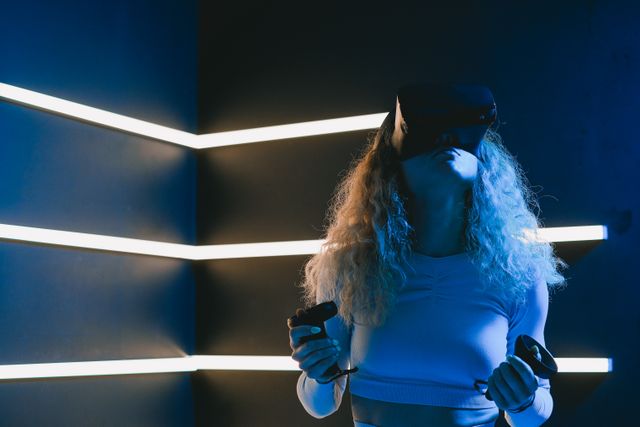
Virtual reality games and immersive experiences offer new ways to interact with digital content. Through head tracking, three-dimensional visuals, spatial audio, and motion-based controls, VR can make users feel more involved in the environments they explore.
Gaming remains an important part of the technology, but its applications also extend to education, fitness, design, healthcare, tourism, and collaboration. At the same time, equipment costs, comfort, accessibility, and privacy remain important considerations.
As VR technology evolves, its long-term value will depend on how effectively it combines immersion with practical benefits and enjoyable experiences.
Frequently Asked Questions
Suitability depends on the child's age, the headset manufacturer's guidance, the content, and the amount of time spent using the device. Parents should check age recommendations, supervise use where appropriate, ensure the play area is safe, and consider comfort and privacy.


Was This Article Helpful?
Click on a star to rate it!
Thank you for your vote!
Average Rating: 0/5 Votes: 0
Be the first to rate this post!

Tech entrepreneur & digital strategist with over 9 years of experience in backend development and more than 5 years in executive leadership. Education Software and Web developer. More than 20 years of experience in software and web development.
View LinkedIn ProfileLatest Posts

Lifestyle Design for Personal Freedom

Outdoor DIY Projects for Your Backyard
Fashion Weeks and Their Cultural Impact